

Mastering Limiter
Drive the level. Shape the peaks. Set the ceiling.
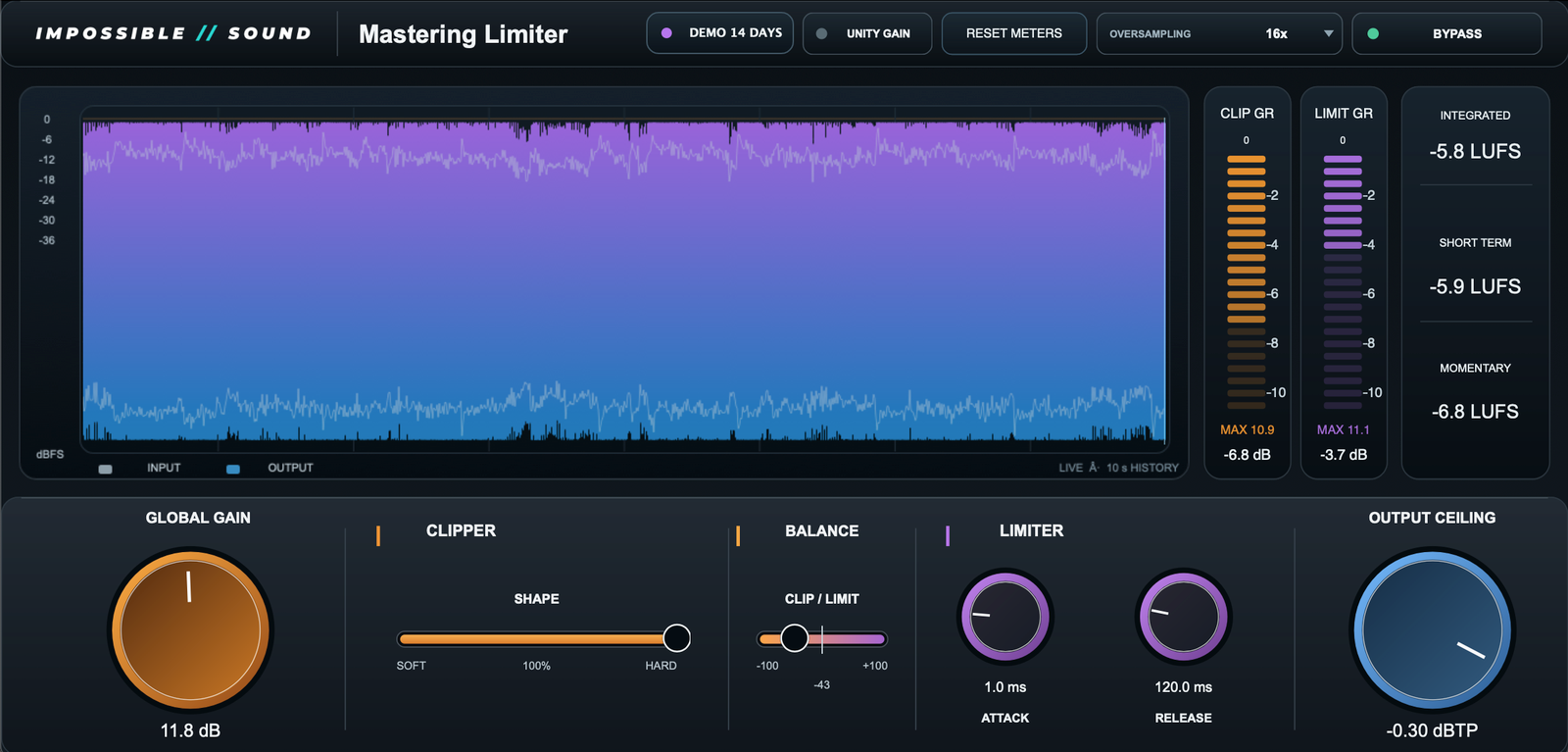
Mastering Limiter puts clipping and limiting in one focused plug-in for macOS and Windows. Use Global Gain to drive the signal, Clip/Limit Balance to choose how the two stages share the work, and Output Ceiling to set the final peak limit.
Choose the balance between clipping and limiting
Move Clip/Limit Balance toward clipping to give the clipper more of the work, or toward limiting to give the limiter more. The limiter stays active as the final ceiling safeguard throughout the range, including at the clipping end.
Shape each stage
Shape moves the clipper response from soft to hard. Attack sets how quickly limiter gain reduction starts, while Release controls how it recovers. Together, these controls let you adjust how the processing responds to the material.
Set the final level
Output Ceiling sets the peak limit at the output. Choose 2×, 4×, 8× or 16× oversampling, and use Unity Gain to offset Global Gain at the processed output when comparing levels. Bypass gives you a direct comparison with the original sound.
Watch the processing as you listen
The live waveform follows the audio through the processing. Separate Clip GR and Limit GR meters show how much reduction each stage applies. Integrated, Short-Term and Momentary LUFS readings help you track loudness while you work.
Features at a glance
- Clipper and limiter with adjustable Clip/Limit Balance
- Global Gain, clipper Shape, limiter Attack and Release, and Output Ceiling
- 2×, 4×, 8× and 16× oversampling
- Unity Gain and Bypass for comparison
- Live waveform and separate Clip GR and Limit GR meters
- Integrated, Short-Term and Momentary LUFS readings
- Mono and stereo processing
- AU, VST3 and AAX on macOS; VST3 and AAX on Windows


FAQ
What does Clip/Limit Balance do?
It shifts the work between the clipper and limiter. Moving toward either end gives that stage more of the work.
Does the clipping end of Balance turn the limiter off?
No. The limiter remains active as the final ceiling safeguard across the full Balance range.
What does Unity Gain do?
Unity Gain offsets Global Gain at the processed output to help you compare levels. It does not match the perceived loudness of the processed and original audio.
What can I see while processing?
A live waveform, separate Clip GR and Limit GR meters, and Integrated, Short-Term and Momentary LUFS readings show how the audio is being processed.
Which formats and licences are offered?
Mastering Limiter supports AU, VST3 and AAX on macOS, and VST3 and AAX on Windows. A purchased licence provides permanent access and supports activation on two computers. The full-function demo is available for 14 days from first activation on one computer.