
Producers and songwriters who want a fast stereo starting point without sacrificing detailed mixing.
Impossible Drums Neon combines 10 kick models, 27 snare models and a complete drum kit with detailed microphone mixing, flexible MIDI mapping, 8 internal buses and 8 stereo output pairs.
Work quickly or get locked in
Some productions need one great drum sound and a few fast adjustments. Others need individual microphones, separate buses and complete control inside the DAW.
Neon is designed for both.
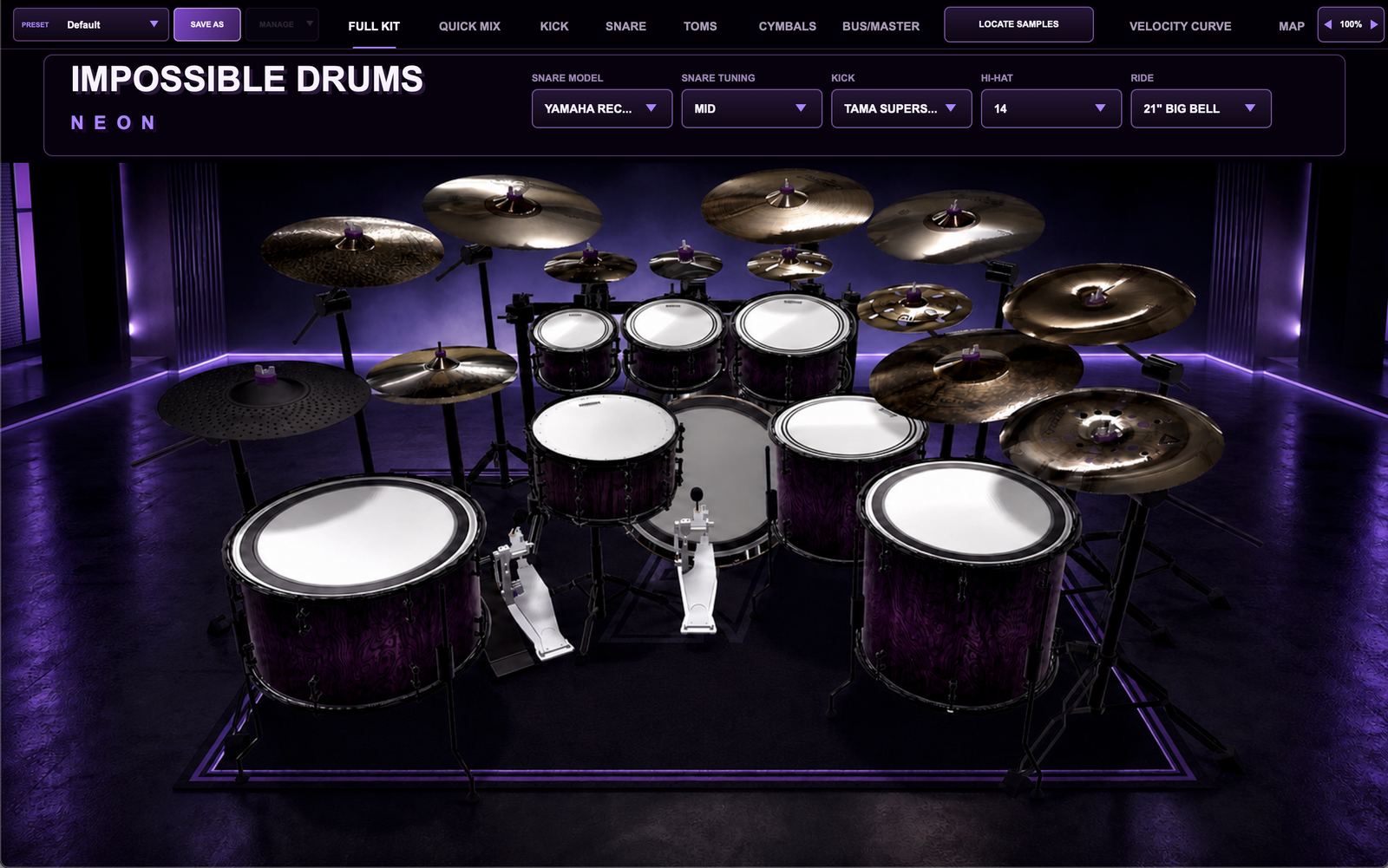
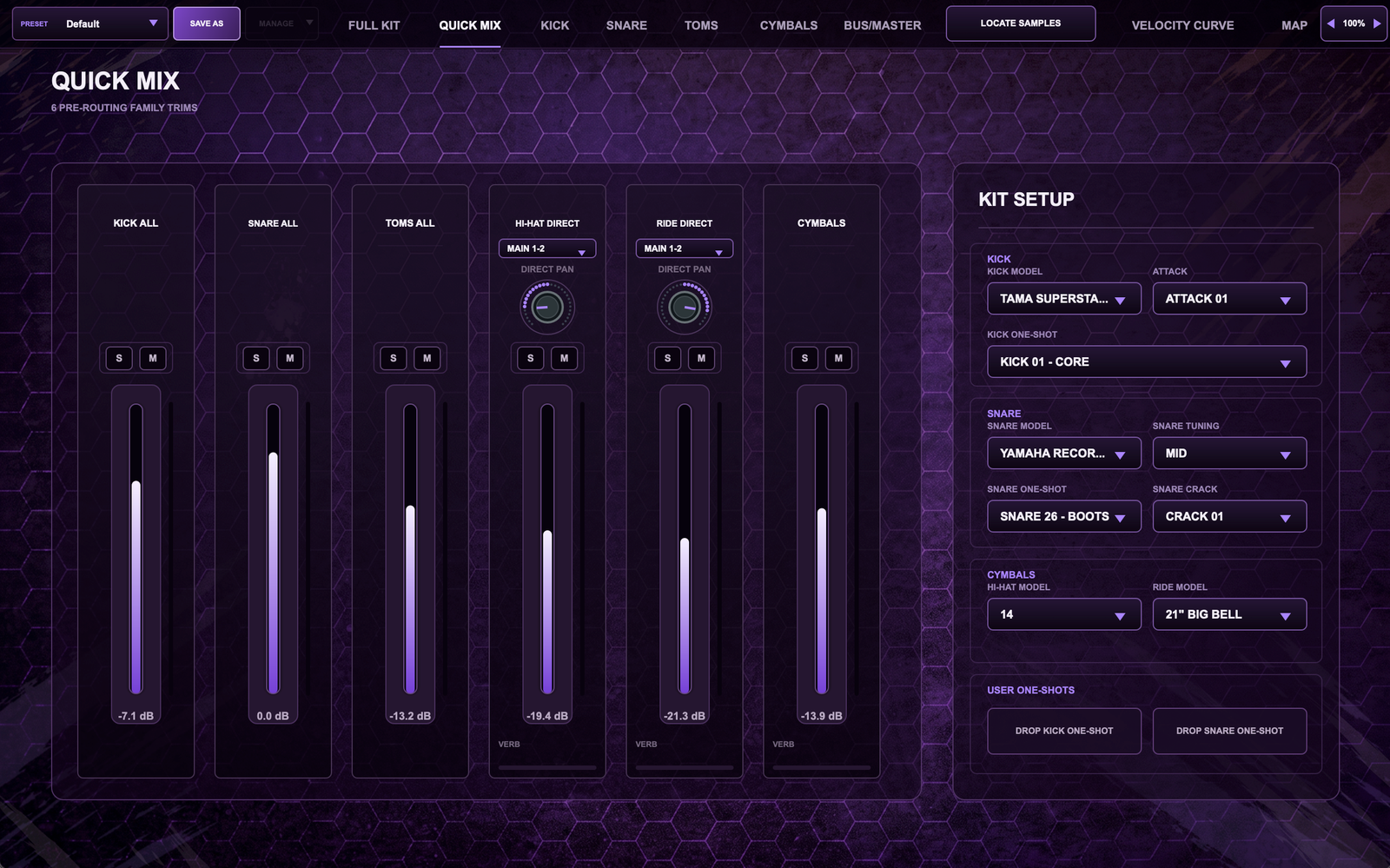
Use Full Kit to play the kit and select instruments visually. Open Quick Mix to balance Kick, Snare, Toms, Hi-Hat, Ride and Cymbals. When the mix needs more detail, move into the dedicated instrument, bus and DSP pages.
You do not have to choose between a fast workflow and deep control.
Find the right foundation
Choose from:
- 10 kick models
- 27 snare models
- 6 toms
- 2 hi-hat models
- 2 ride models
- 10 additional cymbal roles
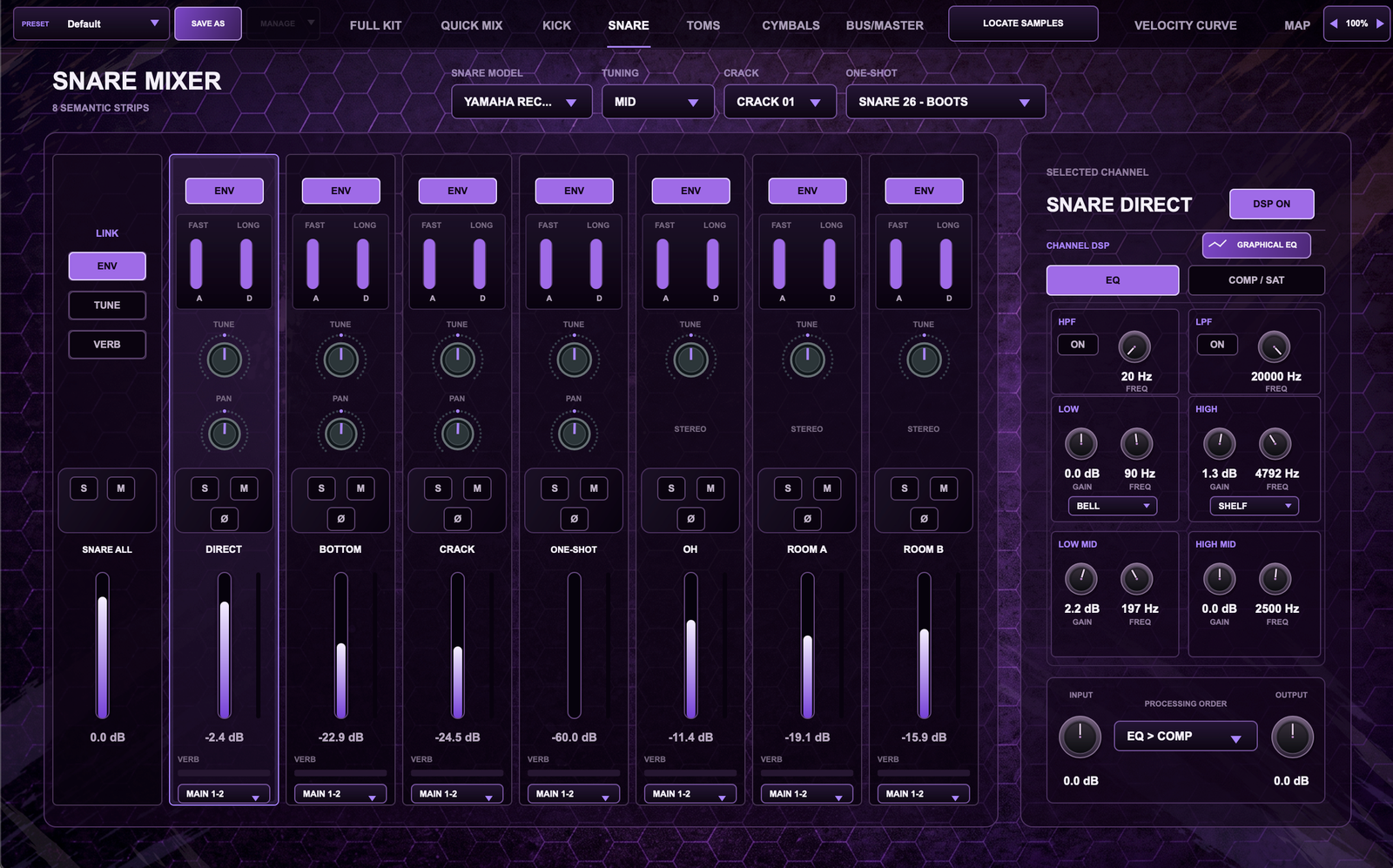
Kick, snare and toms include separate direct, overhead and room perspectives, together with dedicated Attack, Crack, Bottom and One-Shot layers. Control the drum itself, the transient and the space surrounding it.
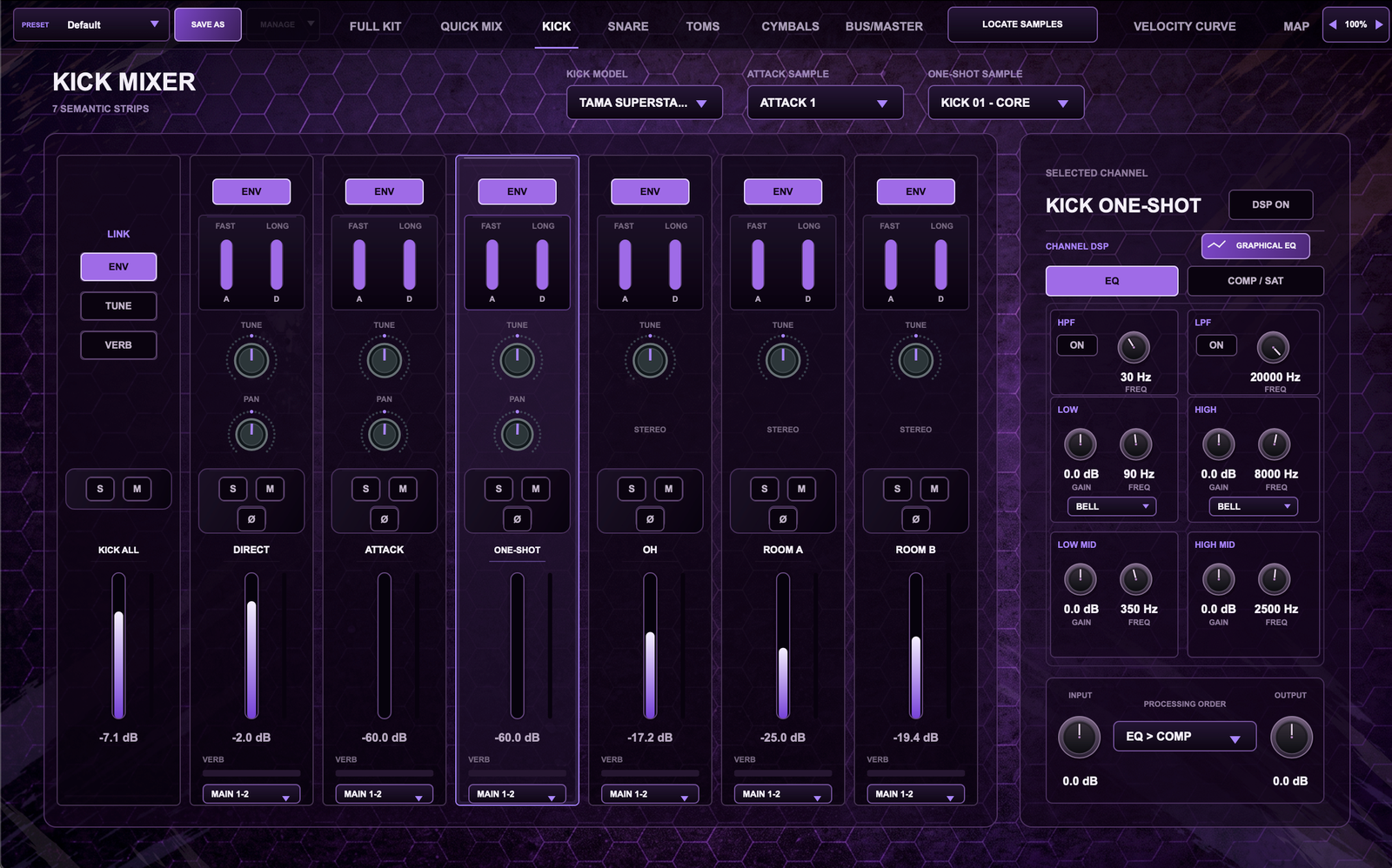
Shape every kit part
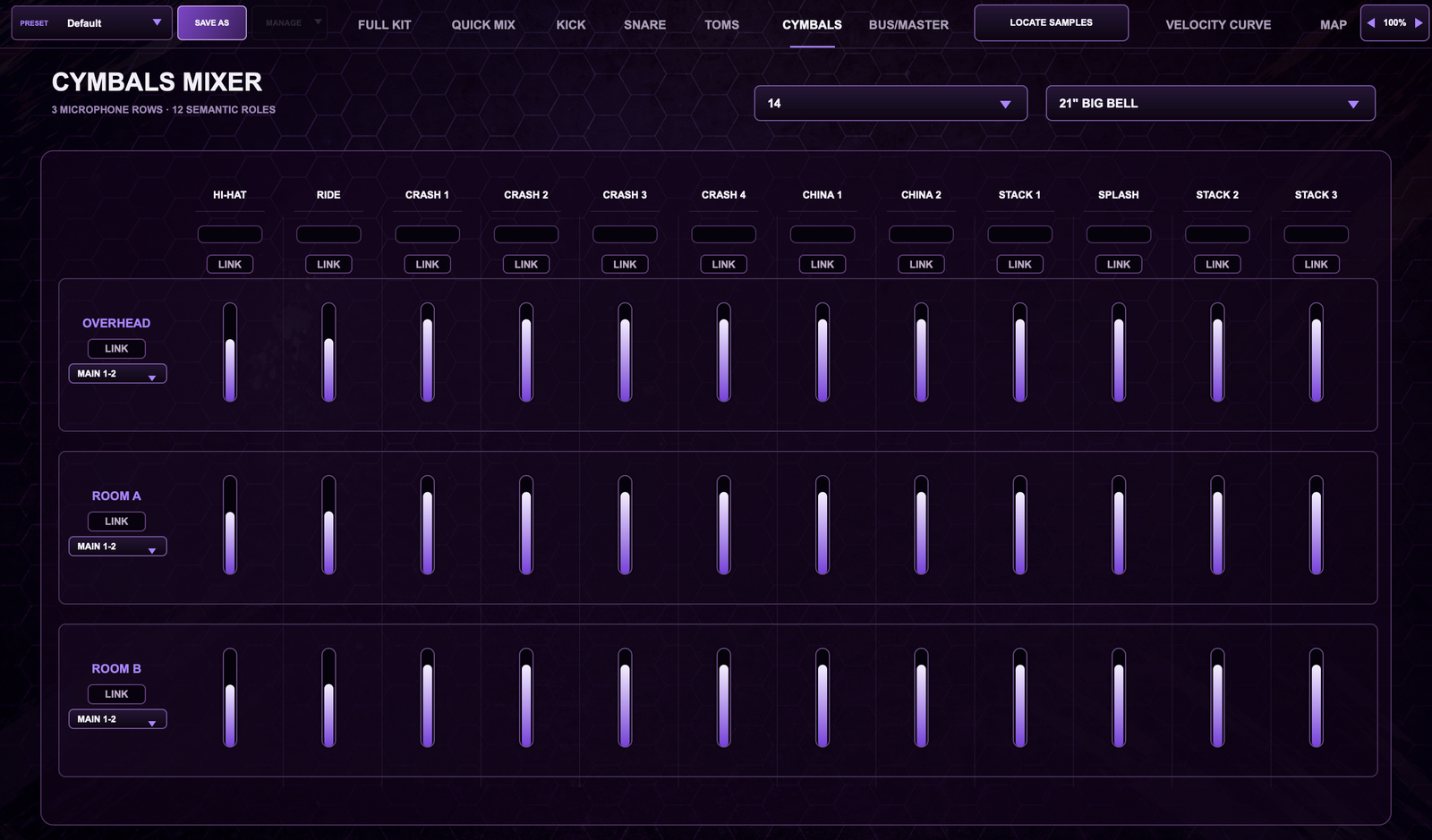
Adjust envelope, tuning, pan, polarity, level, solo/mute, reverb send and destination directly from the instrument mixer.
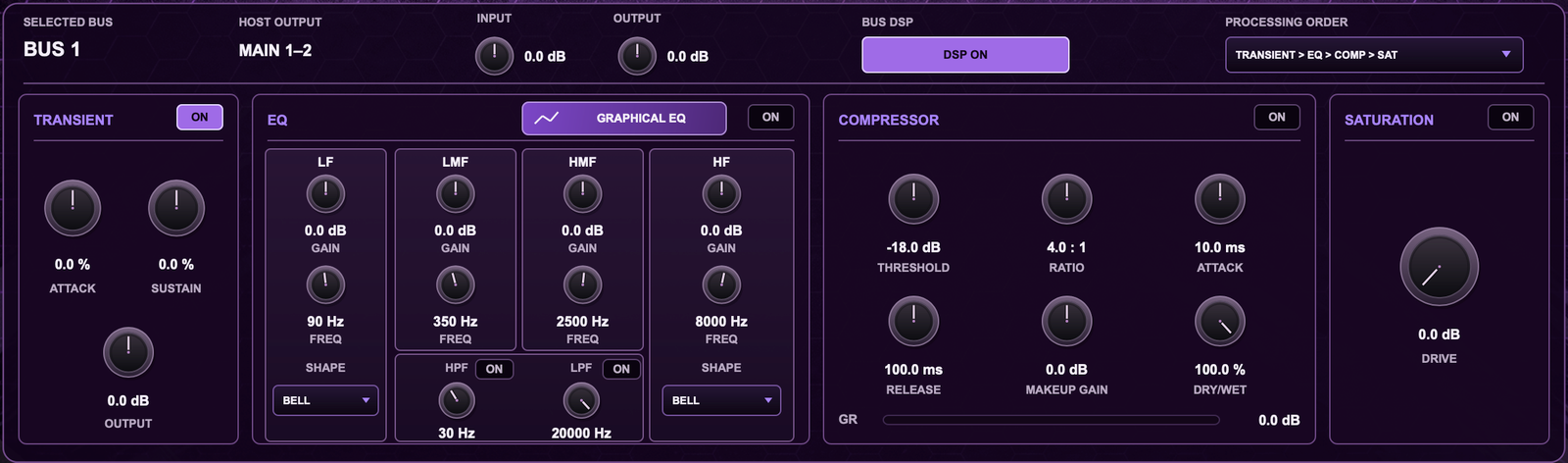
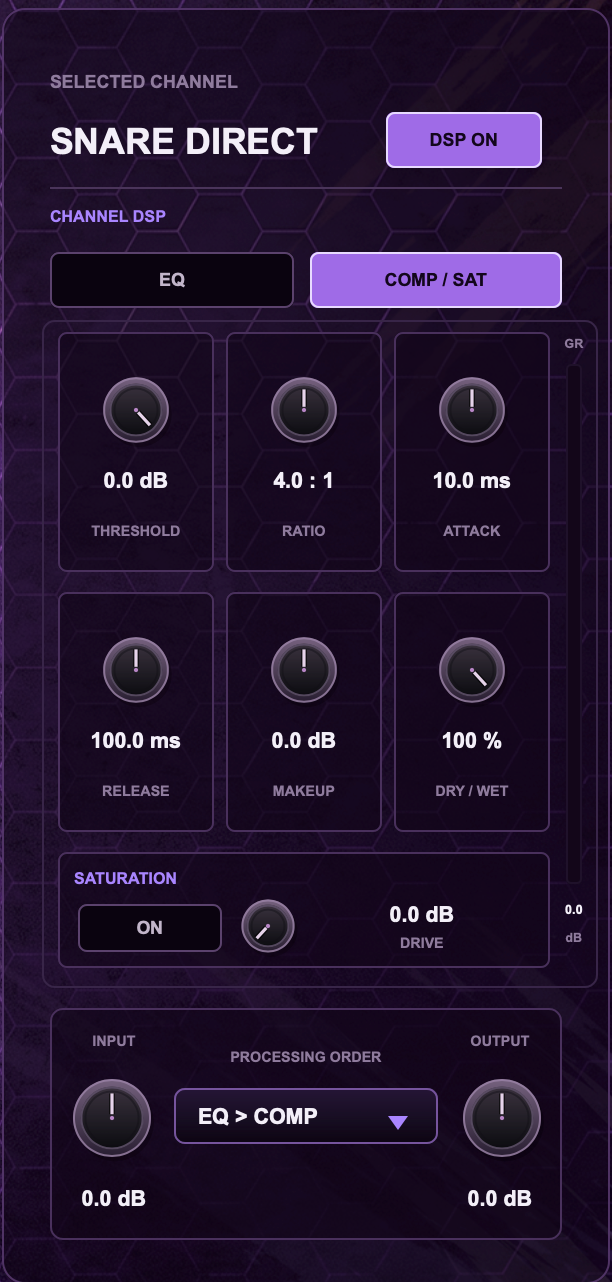
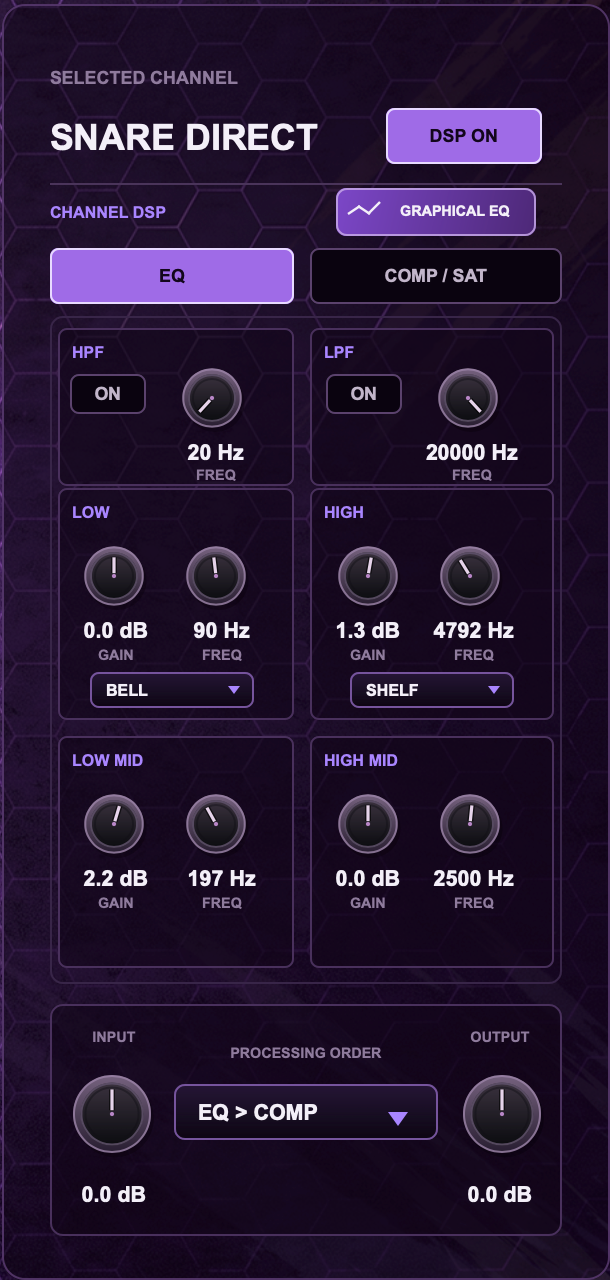
Curated channel processing lets you shape the sound at its source. For broader mix decisions, route channels into one of eight internal stereo buses with transient processing, EQ, compression and saturation.
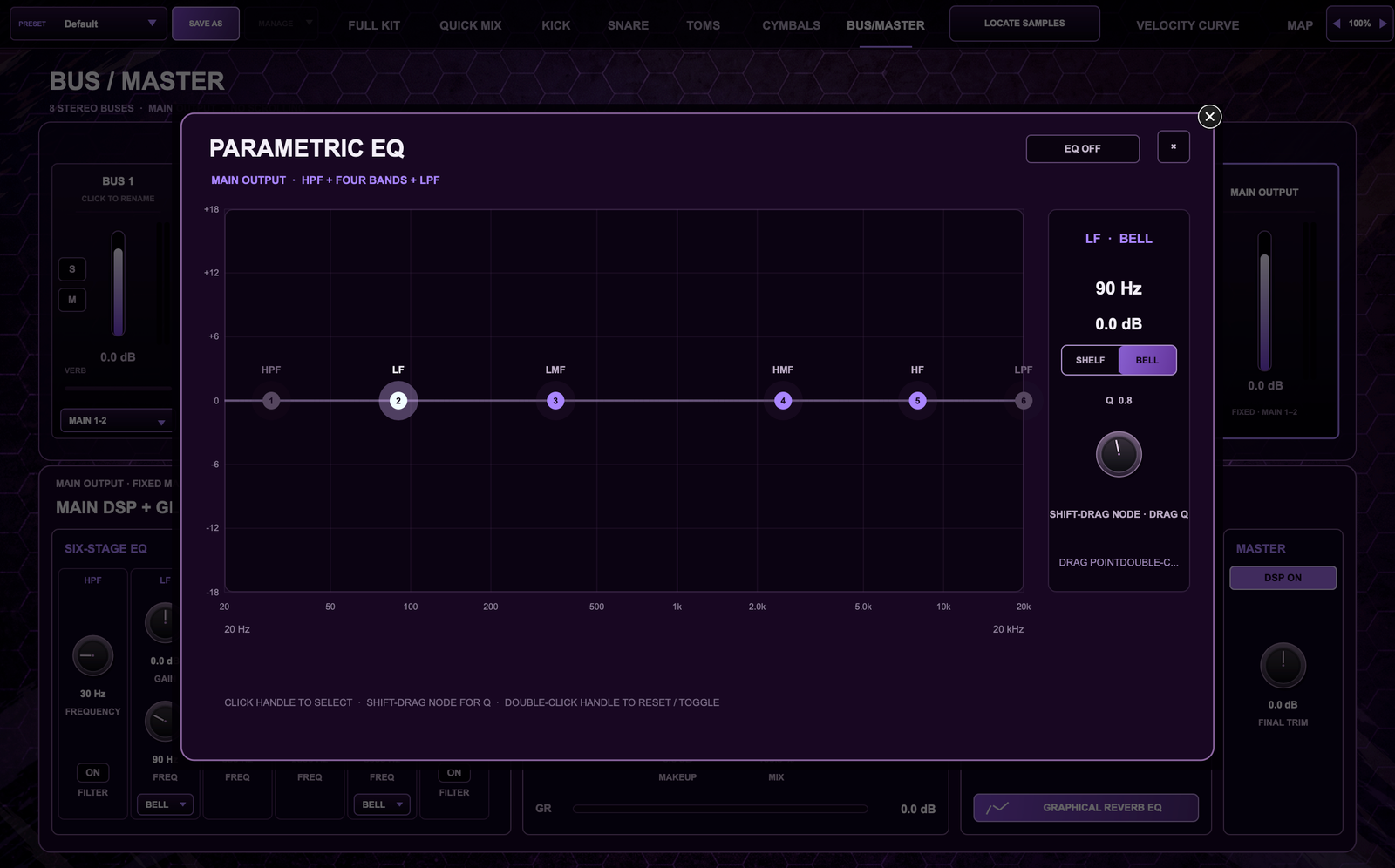
Main Output brings the mix together with four-band EQ and parallel glue compression.
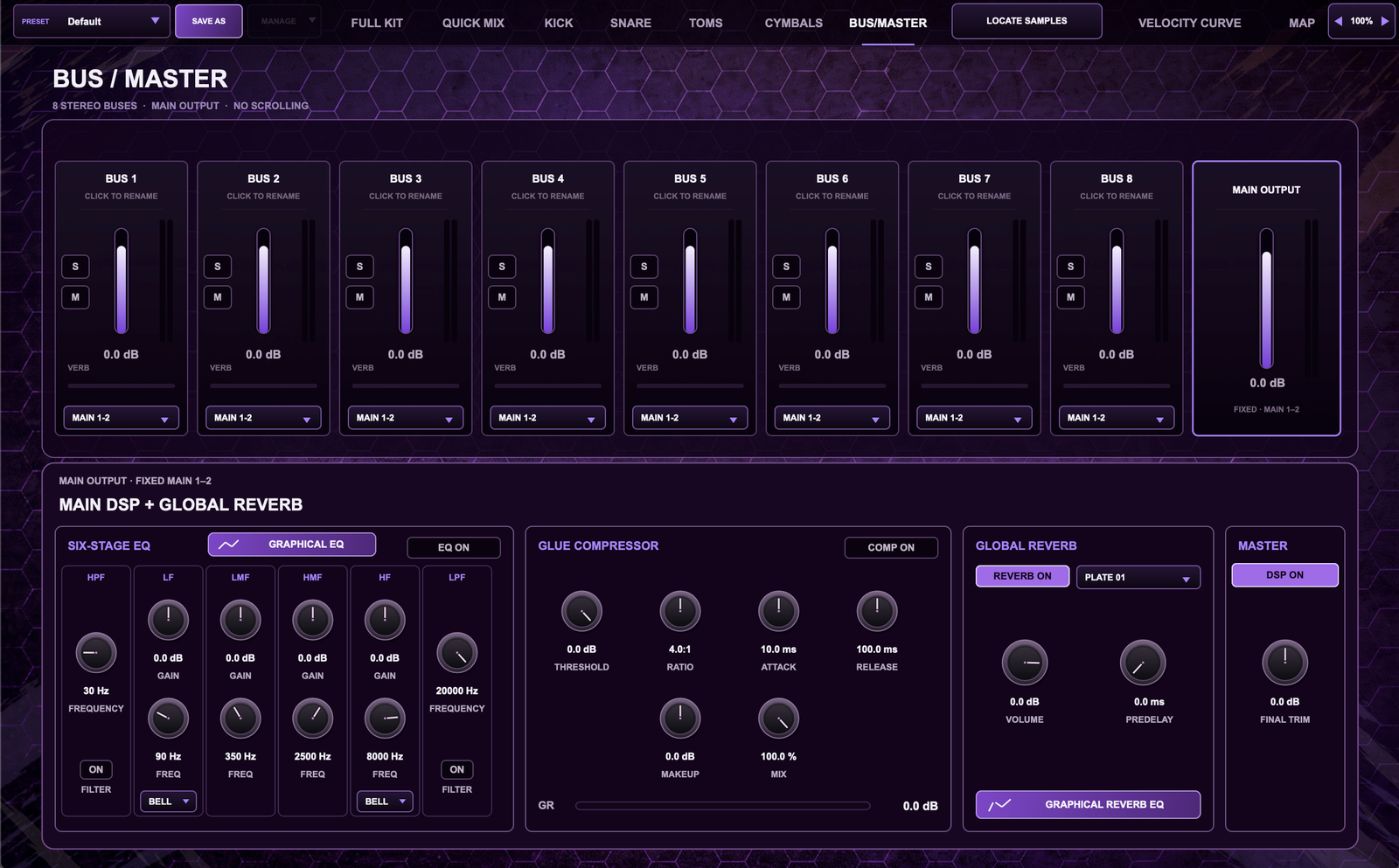
From one stereo channel to a complete DAW mix
Neon opens as a complete stereo instrument, but it does not stop there.
Each of its 28 semantic channels can be routed to:
- Main 1–2
- One of 8 internal stereo buses
- A direct DAW output from Out 3–4 through Out 15–16
Keep the complete kit together, build submixes inside Neon or send individual elements into the DAW for external processing.
Built for MIDI—and for electronic drums
Neon’s MIDI Map system covers 41 musical roles and includes 16 Factory Maps for established software and electronic drum configurations from Toontrack, SSD, GGD, MixWave, Roland, Alesis and more.
Assign notes manually, use MIDI Learn or create and save your own User Maps.
The hi-hat system combines fixed articulation notes with continuous pedal control. Five Pedal Response profiles let you tailor the transition between closed and open hi-hat to your controller and playing style.
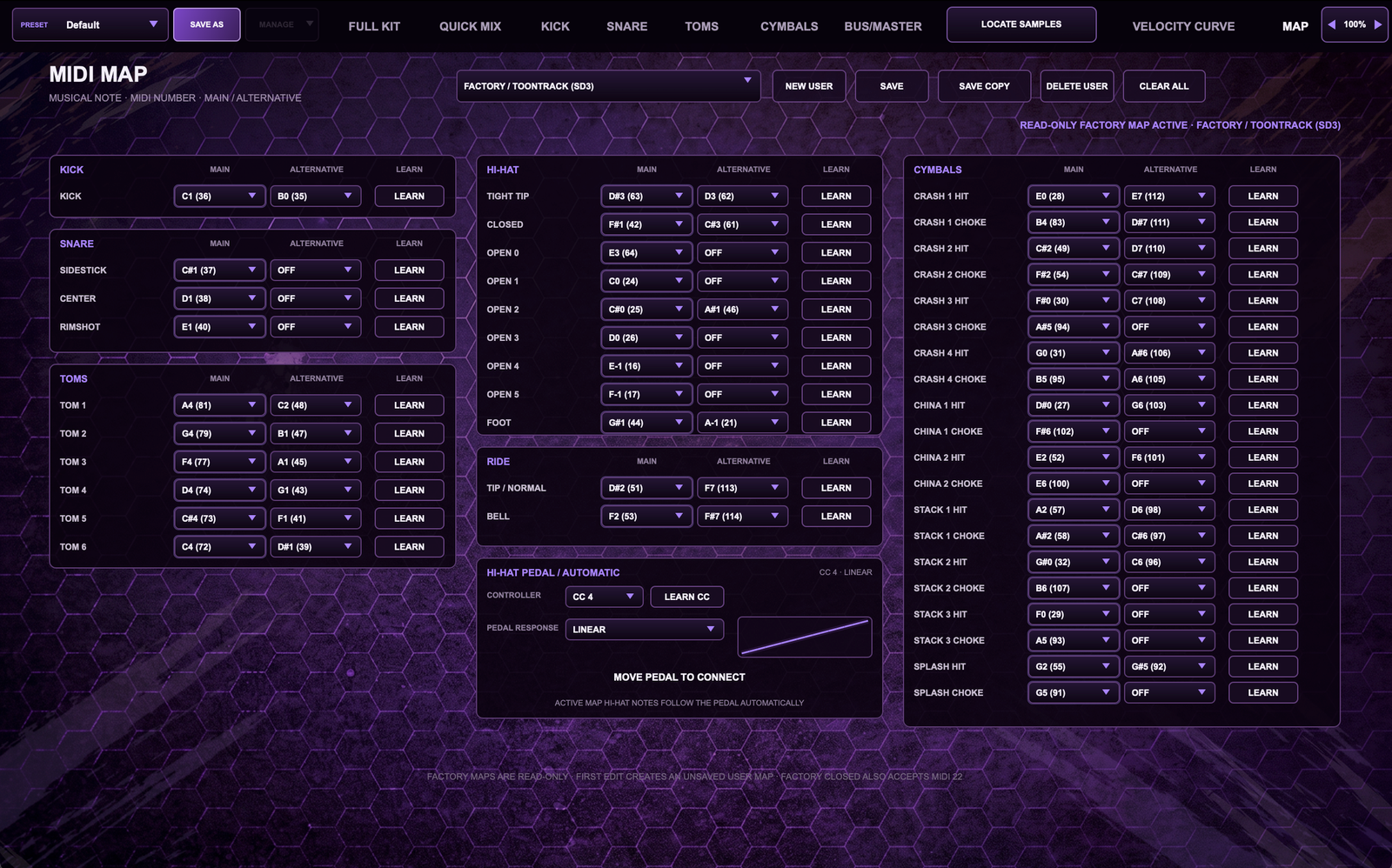
Make the instrument your own
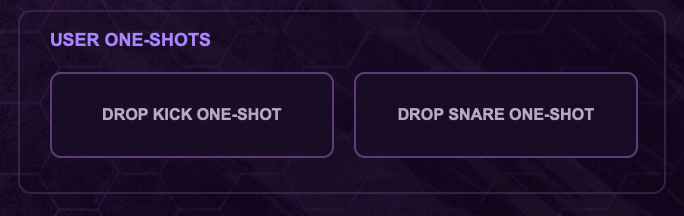
Drop personal kick and snare one-shots into the dedicated One-Shot channels using WAV, AIF or AIFF files. They use the established One-Shot signal paths and retain the same envelope, velocity, DSP, routing and reverb architecture as the Factory content.
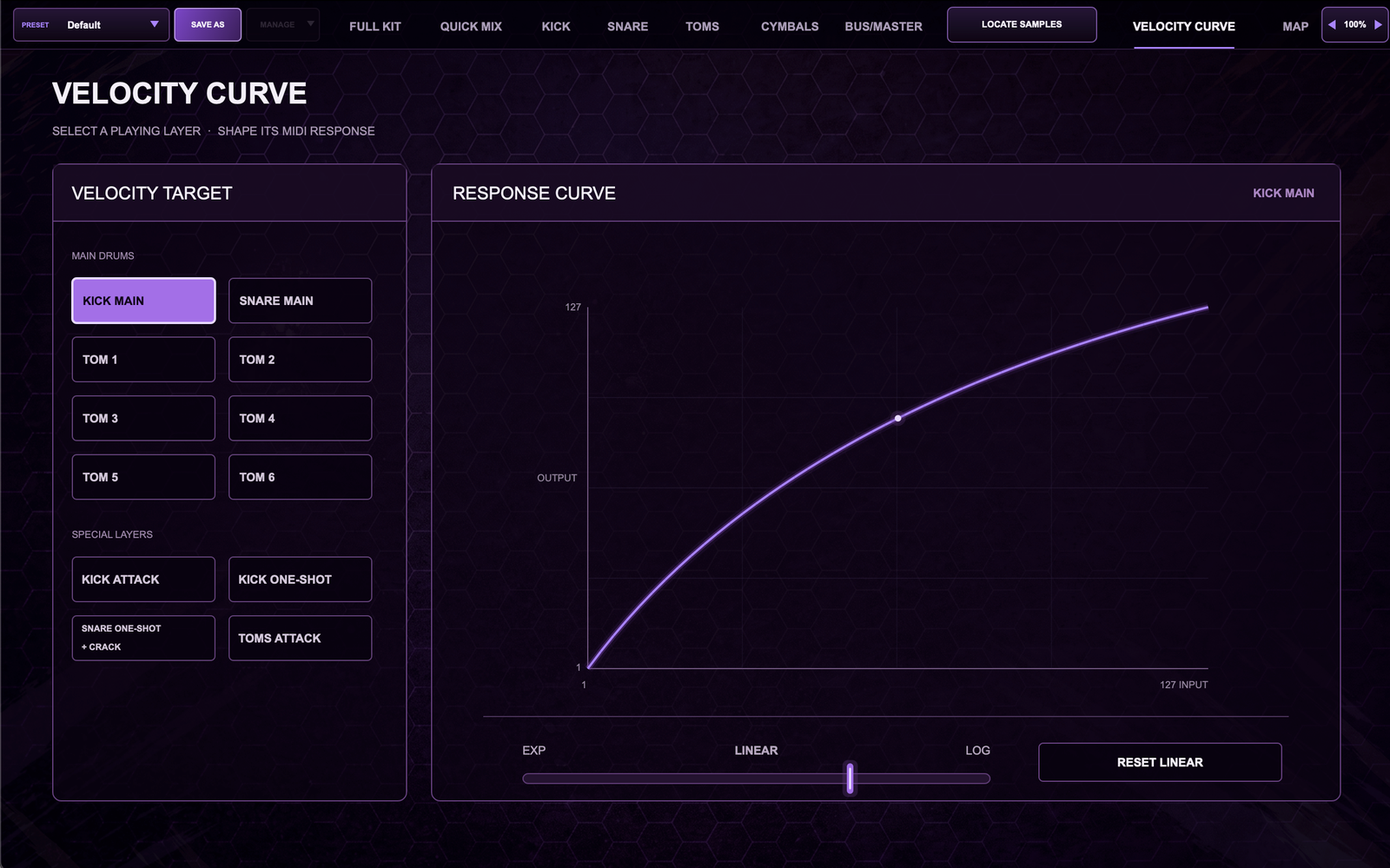
Shape the playing response with velocity curves, then save the complete state as a preset without replacing the active MIDI Map.
The drum sound should fit the production—not the other way around
Start with a complete kit. Choose the instruments. Shape the mix. Route it the way the production requires.
Feature overview
Instruments and sound
- 10 kick models
- 27 snare models
- 6 toms
- 2 hi-hat models
- 2 ride models
- Separate direct, overhead and room channels
- Dedicated Attack, Crack and One-Shot layers
Mixing and DSP
- Detailed channel mixer
- Curated channel DSP
- 8 internal stereo buses
- Transient processing, four-band EQ, compression and saturation per bus
- Main EQ and glue parallel compression
- Global convolution reverb
- Six-stage graphical EQ editors
Routing
- 8 stereo output pairs
- Direct DAW outputs
- Internal bus routing
MIDI and performance
- 16 Factory Maps
- Save User Maps
- Manual mapping and MIDI Learn
- Pedal-controlled hi-hat
- 5 Pedal Response profiles
- Velocity-curves
Customisation and workflow
- User kick and snare one-shots
- WAV, AIF and AIFF support
- Editable User preset workflow
- 75%, 100%, 125% and 150% interface zoom

FAQ
Is Impossible Drums Neon a standalone plugin?
Yes. Impossible Drums Neon runs as a self-contained plug-in and does not require Kontakt or another third-party sampler.
Can I route the drums to separate tracks in my DAW?
Yes. Neon provides eight stereo output pairs. Channels can be routed directly to a DAW output or through one of the eight internal buses.
Can I use my own samples?
You can load WAV, AIF and AIFF one-shots into the dedicated Kick and Snare One-Shot channels. This is not a general-purpose import system for replacing the complete multisample library.
Does Neon work with electronic drums?
Neon includes 16 documented Factory Maps and a flexible User Map system with manual assignment and MIDI Learn.
Can I adjust the hi-hat pedal response?
Yes. Neon can combine fixed hi-hat notes with continuous pedal control and includes five Pedal Response profiles.
Does the MIDI Map change when I load a sound preset?
No. Musical presets and MIDI Maps are intentionally independent. You can change the sound without losing the active playing configuration.
What processing is included?
Neon includes curated channel processing, bus DSP with transient shaping, EQ, compression and saturation, Main EQ and glue compression, and global convolution reverb.
Does Neon require iLok?
No.
How many computers can I activate?
One licence supports two computers.
Which operating systems are supported?
macOS and Windows.
Which plugin formats are supported?
macOS: AU, VST3 and AAX. Windows: VST3 and AAX.